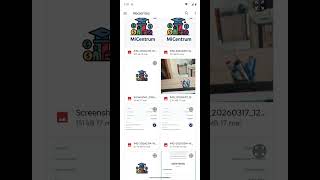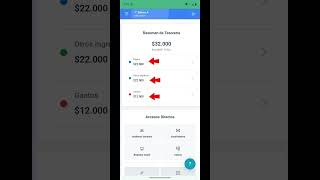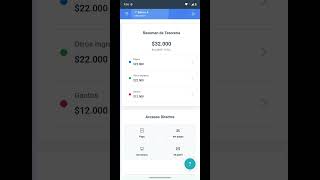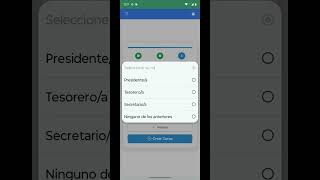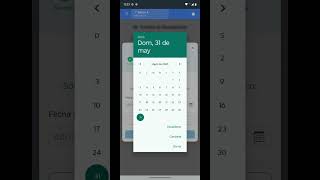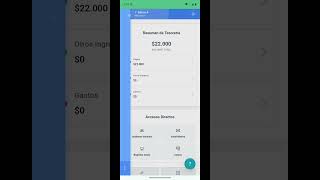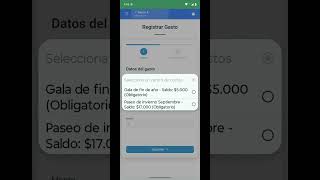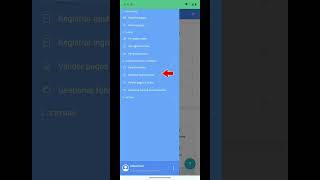
Organize your community

Everything you do together, better organized.

Money, communications and activities in one place. MiCentrum helps courses, Parent Centers and communities to organize with less work and more transparency.

Three ways MiCentrum helps you

Money, communication and participation. The tools exist to achieve these results.

Clear and orderly money

Organize your community's money and make sure everyone understands what is collected, what is paid, and what it is used for.

The treasurer is no longer the person everyone has to ask how much is left, who paid, or what it was spent on.

  • Less spreadsheets
  • Fewer lost receipts
  • Fewer questions to the treasurer
  • Easier to collect fees or contributions

Tools that make it possible
Everyone informed and coordinated

Your community information stops getting lost in chats, emails, documents and forwarded messages.

That important information arrives and remains available when someone needs to find it.

  • More organized communications
  • One place to consult
  • Less dependency on WhatsApp strings
  • Easy-to-find notices and activities

Tools that make it possible

A community that can do things

MiCentrum is not only used for administration. It is used to organize activities and make more people participate.

More people sign up, collaborate and find out, with less repetitive work for the board.

  • Organize activities
  • Receive registrations
  • Coordinate volunteers
  • Reduce administrative work

Tools that make it possible

Before and with MiCentrum

Before

  • Different spreadsheets on each computer.
  • Receipts sent by messages.
  • Information distributed between chats.
  • People constantly asking questions.
  • Manual registrations.
  • Managers doing repetitive work.

With MiCentrum

  • Information shared to whom it applies.
  • Ordered payments and expenses.
  • Communications available when needed.
  • Centralized activities.
  • Less administrative work.
  • More transparency.
real case

MiCentrum running in a real community

CPA Concepción Fraternity School

The Parent Center uses MiCentrum to organize different areas of its community: treasury, communications, activities and a public site where families can check what is happening.

Public site in operation

See Parent Center site

How to get started

It is not necessary for the entire community to learn MiCentrum before receiving value. It can be incorporated little by little.

1

Start with a need

It is not necessary to implement all of MiCentrum. It could be charging a fee, posting a notice, or organizing an activity.

2

Invite your community when it makes sense

People enter when they have something useful to do or consult: pay, read an ad, register or view a gallery.

3

Add new tools as you need them

Treasury, communications, activities and other functions can be added later.

Are you already using MiCentrum?

Learn what you need in just a few minutes. The tutorials are for when you're already in, not a requirement to get started.

We are organizing and updating the tutorials so that each user quickly finds the guide they need.
Install MiCentrum on Android

Guide to accessing MiCentrum from a Android device.

Register a payment

Learn how to upload a credit card and attach proof.

See my payments

Review registered payments, statuses and associated movements.

General tour Agent

Learn about the main functions for representatives.

Create a course

First steps to setting up a course community.

Invite proxies

How to share access so that more families join.

Create backgrounds

Set up fundraising funds for fees or activities.

Validate payments

Review receipts and approve or reject payments.

Record expenses

Add course expenses with detail and support.

Record income

It incorporates extraordinary income or special contributions.

Frequently asked questions

What is MiCentrum?

A place to organize a community, keep it informed and transparently manage what you do together: money, communications and activities.

Do I have to use the entire platform from day one?

No. You can start with a single need, for example treasury or a notice, and incorporate more tools when you need them.

Does the entire community have to learn to use it?

No. People can receive value before “learning the platform”: viewing a payment, checking out, reading a notice, signing up, or viewing a gallery.

Is it only for schools?

No. It was born in school communities, but it can also help groups, clubs, workshops and other groups with directives, activities or common money.

Can I use it only for my course treasury?

Yes. Many courses start there: fees, who is up to date, expenses, receipts and surrenders. The rest can be added later.

Does it replace WhatsApp?

Not necessarily. What you want is that important information is not lost between chats. You can continue using WhatsApp and have notices, payments and activities organized in one place.

What does a treasurer earn and what does a proxy earn?

The treasurer stops chasing repeated forms and questions. The agent can see what he owes, what he paid and what it is collected for, without having to ask.

Can a Parent Center use it?

Yes. It serves to coordinate several courses, communicate to the entire community, organize activities and show transparently how resources are managed. CPA Fraternity is a real case.

Start with what your community needs today.

You don't need to change everything at once. Tell us how your community is organized and we will help you find a good starting point.

Also available in Google Play and App Store · Version for iPhone coming soon